 ToDo
ToDo iOS 26 AlarmKit apps: the new wave of third-party alarms
For nearly two decades of iPhone history, only one app on your phone could ring through Silent mode: Apple's Clock. Every other "alarm" app — every wake-up app, every reminder app, every meditation timer — was technically a notification with a louder sound. They worked, mostly, until Focus modes shipped and quietly muted half of them.
iOS 26 changed that. AlarmKit, introduced at WWDC 2025 and shipped in iOS 26 in late 2025, gives third-party developers the same alarm permissions as the Clock app: full-screen alerts, sound through Silent and Focus, Lock Screen UI, and Dynamic Island integration. It's the biggest change to iPhone alarms since the original.
This is a roundup of the first apps to ship with AlarmKit, what each one does with it, and why the framework matters more than it sounds.
What AlarmKit actually does
A quick technical primer so the app reviews make sense:
- Two scheduling models: schedule-based (fire at 7:30am) and countdown-based (fire 25 minutes from now). Covers wake-up alarms and pomodoro-style timers.
- Bypasses Silent mode and Focus modes: same priority as Apple Clock. The user controls the privilege via a system permission prompt the first time the app schedules an alarm.
- System UI integration: alarms render on the Lock Screen, in the Dynamic Island, and on Apple Watch. Apps don't have to build any of that — it comes from the framework. Apple's Human Interface Guidelines for Alarms describe the expected presentation and dismissal behavior in detail.
- User control: users can revoke alarm permission per-app in Settings → Notifications, and AlarmKit alarms count toward a system-managed limit per app.
The headline: the architecture that made third-party alarms unreliable is gone. The constraint now is which apps choose to build on it.
The first apps using AlarmKit
ToDo Alarm — alarm-by-default tasks
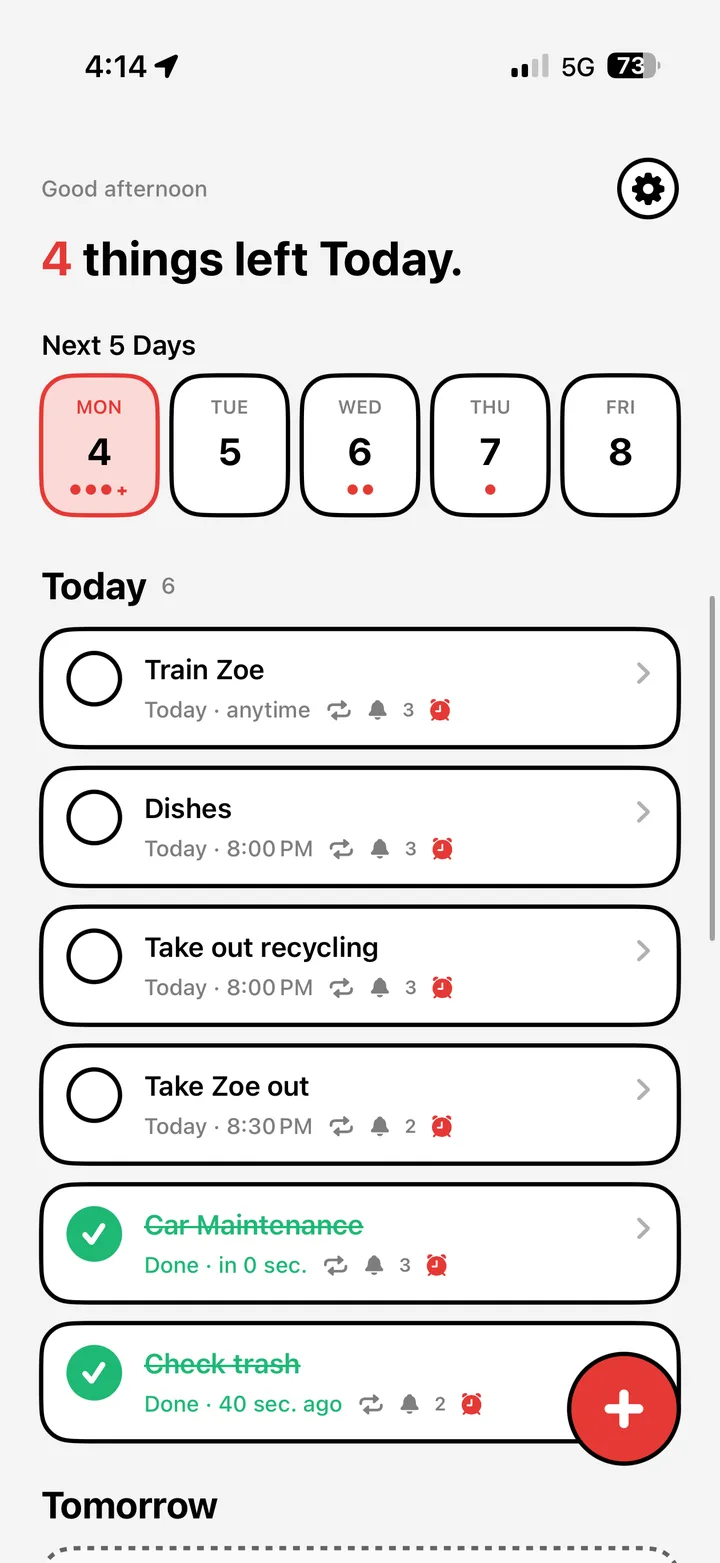
ToDo Alarm is a task manager where every task is an AlarmKit alarm by default — not a notification. It's the most literal application of the framework: a to-do list whose UX promise is that nothing you write down quietly disappears.
What it does with AlarmKit:
- Every scheduled task fires as a full-screen alarm with system Lock Screen integration
- Snooze controls render in the Dynamic Island
- Photo-proof completion (the "Prove It" feature) gates alarm dismissal — to mark a task done, you can require a photo of the thing you just did
Why it's interesting: most apps that adopt AlarmKit will use it for one feature (a wake-up alarm, a workout timer). ToDo Alarm builds its entire product on it. The decision flips the standard tasks-app paradigm — instead of opt-in alarms per task, every task is an alarm, with the option to soften it down.
AutoSleep — sleep tracking with smart wake
AutoSleep was already a popular sleep-tracking app. With iOS 26, it added a smart-wake alarm that fires at the lightest point of your sleep cycle — and now uses AlarmKit so the alarm reliably fires through Sleep Focus (which had been muting it).
What it does with AlarmKit: wake-up alarm with sleep-stage timing, full-screen alert that bypasses Sleep Focus.
Cooking and recipe apps with AlarmKit timers
A category Apple specifically called out at WWDC 2025: recipe and cooking apps embedding countdown timers that fire as real alarms instead of notifications you might miss. Several major recipe apps have either shipped or announced AlarmKit integration. The use case is obvious: a 12-minute timer for boiling pasta should not be lost to Silent mode.
Workout and HIIT timers
Same logic. HIIT apps have switched timer rounds to AlarmKit so the round-end alarm fires reliably through Workout Focus.
Pomodoro / focus timers
A natural fit — the framework's countdown mode was practically designed for pomodoro. Several existing focus apps have added AlarmKit as an opt-in, with the system permission prompt explaining the trade.
What's not on this list yet (and why)
Conspicuously missing from AlarmKit adoption as of early 2026:
- Major task managers (Things, Todoist, TickTick, Microsoft To Do) — still using Time Sensitive notifications, not alarms. Migrating means UX changes their existing users may not want.
- Calendar apps (Fantastical, Google Calendar) — same story.
- Apple Reminders itself — Apple shipped the iOS 26.2 Urgent toggle, which uses similar internals but is per-reminder rather than alarm-by-default.
Expect adoption to accelerate through 2026. The apps that go alarm-by-default will differentiate on the most important UX pillar: did the user actually see the thing they asked to be reminded of.
How users perceive AlarmKit alarms
A subtle thing worth flagging: from the user's perspective, an AlarmKit alarm doesn't feel like a notification. It feels like an alarm. That carries weight — alarms are something you set with intent. Notifications are something the world sends you.
Apps that use AlarmKit well lean into this: fewer alarms, set deliberately, with high signal. Apps that abuse it (firing alarm-level alerts for low-stakes pings) will get their permission revoked by users and won't recover.
How to allow or revoke AlarmKit access
Settings → Notifications → [App] → Alarms
Toggle on or off per app. The first time an app schedules an alarm, iOS shows a one-time system prompt asking your permission, similar to how Critical Alerts work for medical apps.
The bigger picture
AlarmKit isn't just a feature — it's a category-creating API. Before it, "third-party alarm app" was a contradiction in terms. After it, an entirely new product space opens: tasks that are alarms, accountability apps that can't be ignored, body-doubling reminders, medication adherence systems, and ADHD-specific tools that work with the way the OS handles attention rather than against it. Speaking of — we wrote up the best alarm apps for ADHD on iPhone, most of which now use AlarmKit.
The next two years of iPhone productivity apps will be defined by who builds on this framework first.